 Back to projects
Mobile App UI
Plaza
A social marketplace connecting local artisans with the right community to improve customer relations.
Context
In March of 2025, I was invited to a meeting with the CEO of Plaza to discuss a potential role as a product designer within the startup. Plaza is a social marketplace dedicated to local artisans and craftsmen to showcase their work and connect with their community in a much more intimate and social setting.
- Role
- Product Designer
- Timeline
- March 2025 - June 2025
- Team
- 1 Team Lead2 Front/Back End Developers1 Marketer
- Tools
- FigmaSpline
My contributions
Iteration & Improvement
Redesigned onboarding and product flows, achieving 48% activation and driving 130+ listings and 30+ video uploads in the first launch cycle.
Rapid Design
Designed and launched an end-to-end mobile app experience on the Apple App Store within one month, driving 250+ organic downloads.
Design System
Created a scalable branding guide and design system for faster development, reducing development time by 75%.
The problem
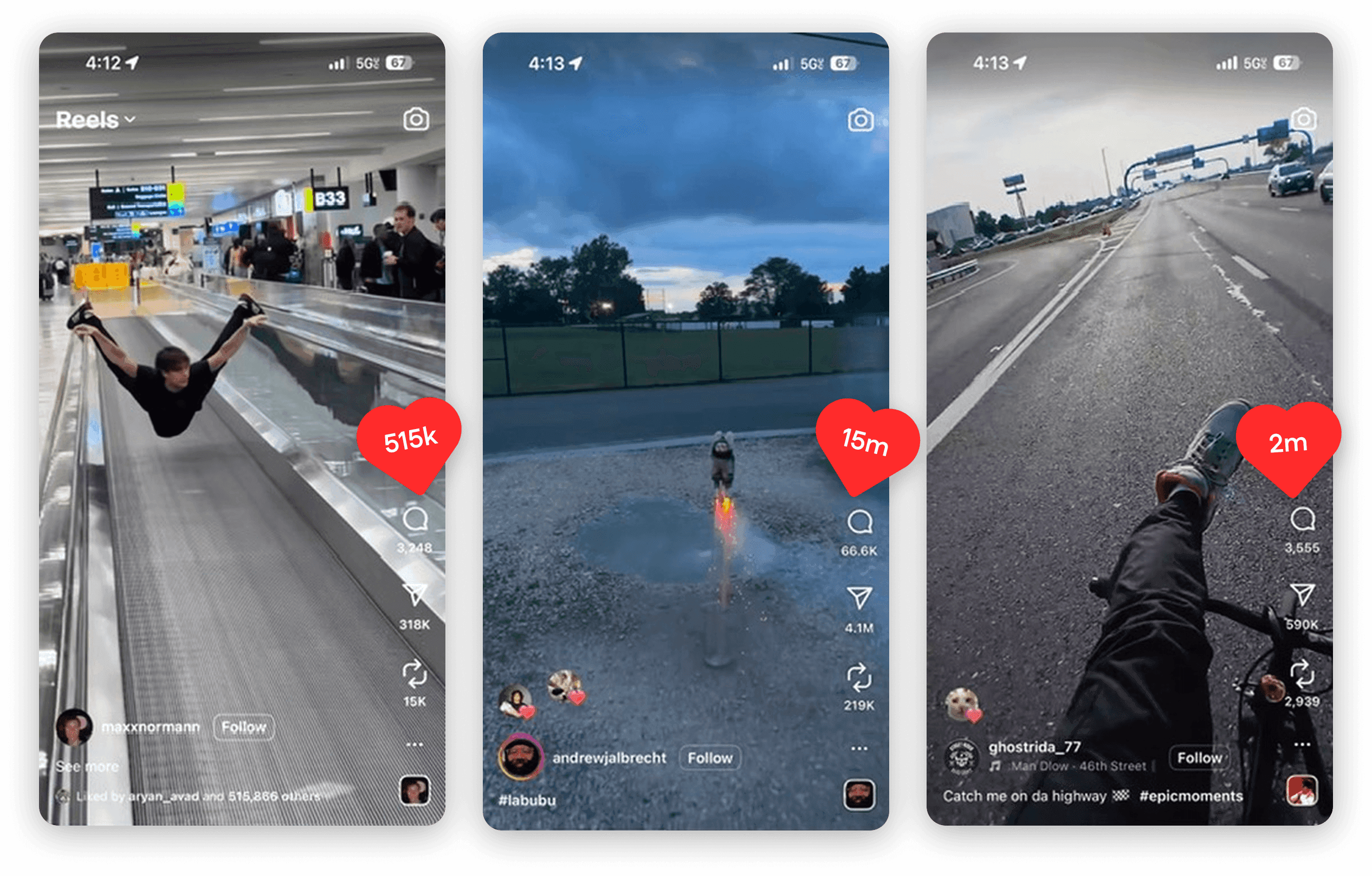
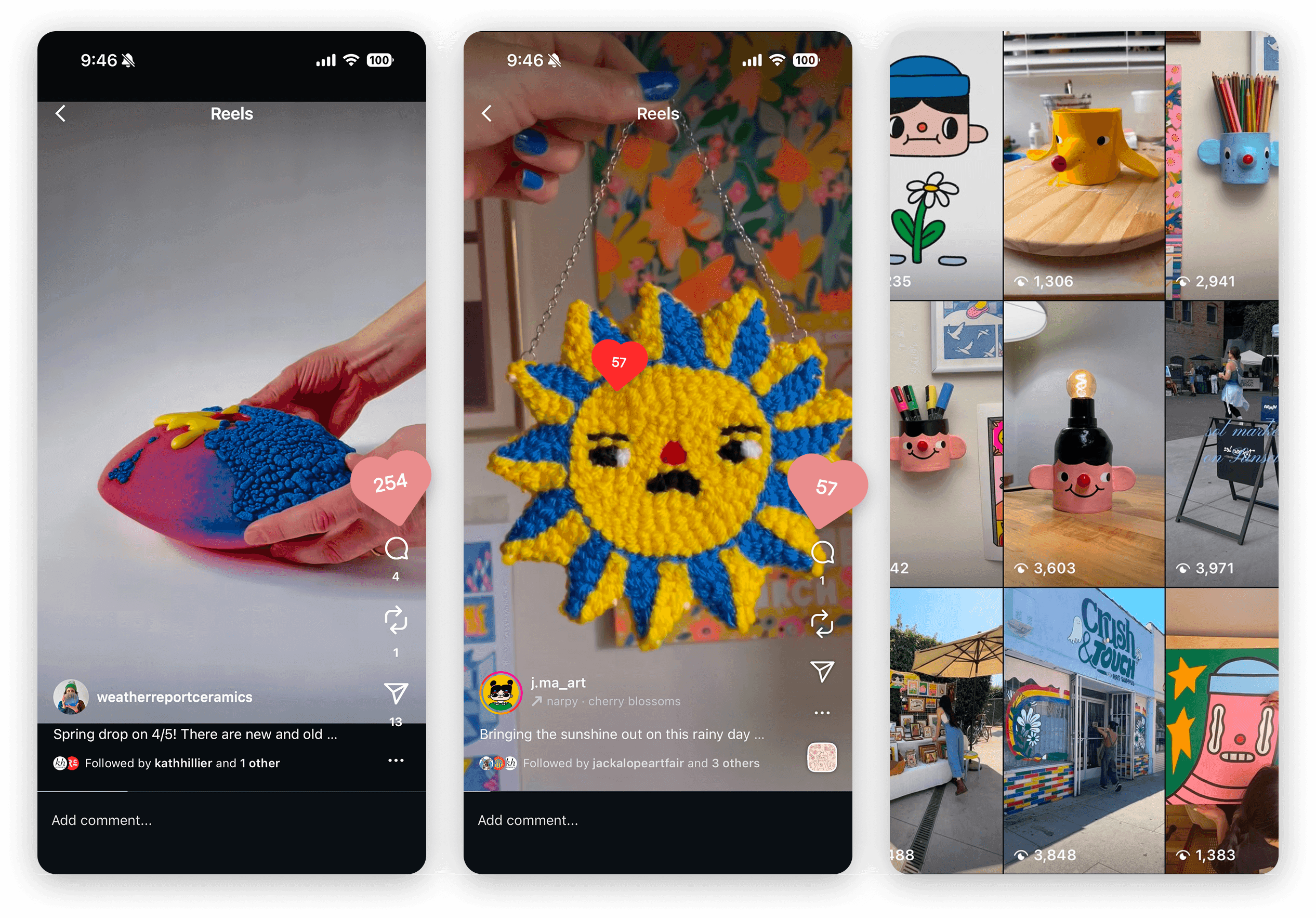
Arts and crafts sellers are being overshadowed by other creators on social media.
The authenticity of arts and crafts sellers is unlike any other, yet it is increasingly overshadowed by the overwhelming saturation of content across social media platforms like Instagram and TikTok.
Viral content
Arts and crafts sellers
The current state
Getting familiar with the current interface.
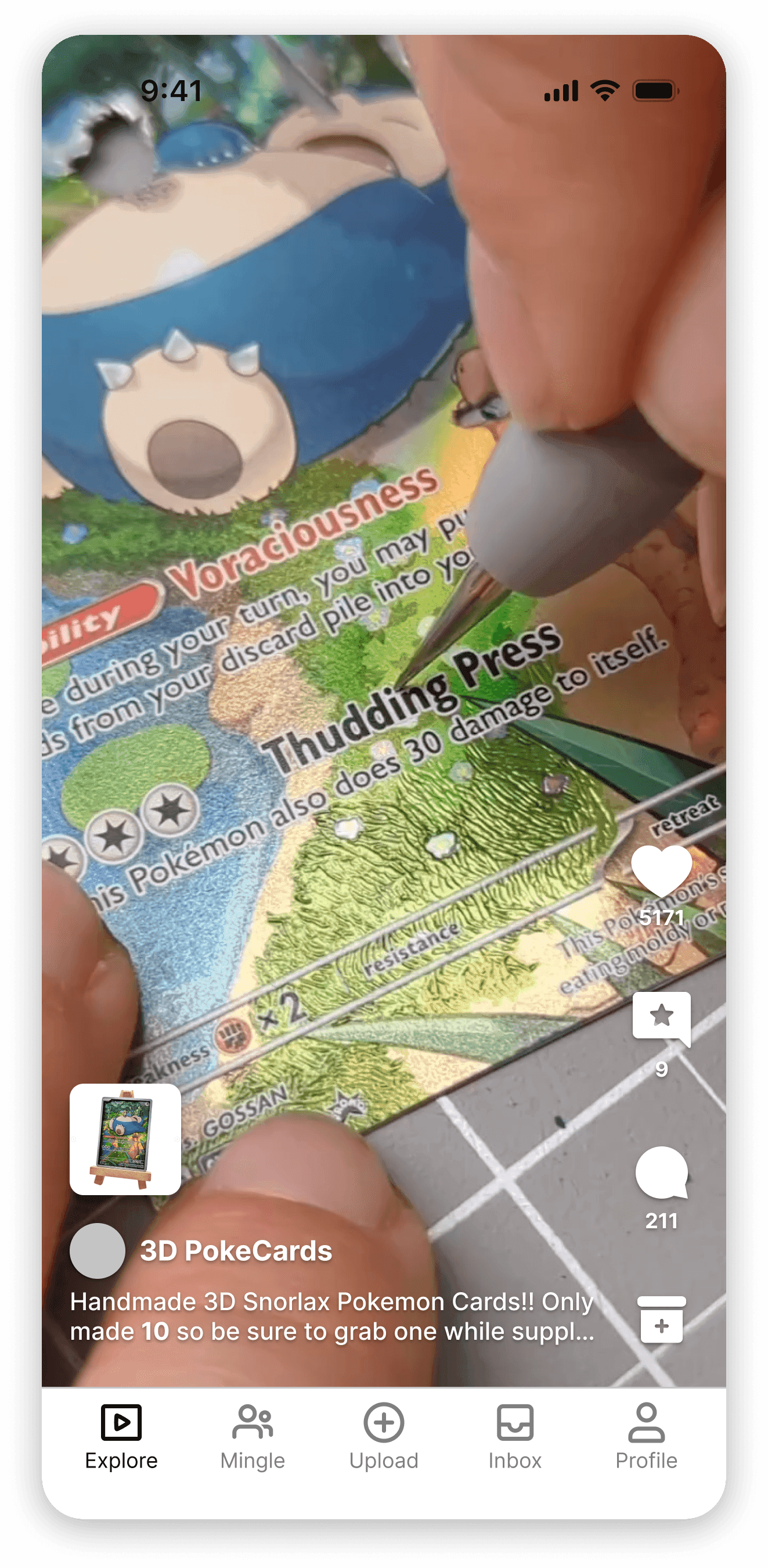
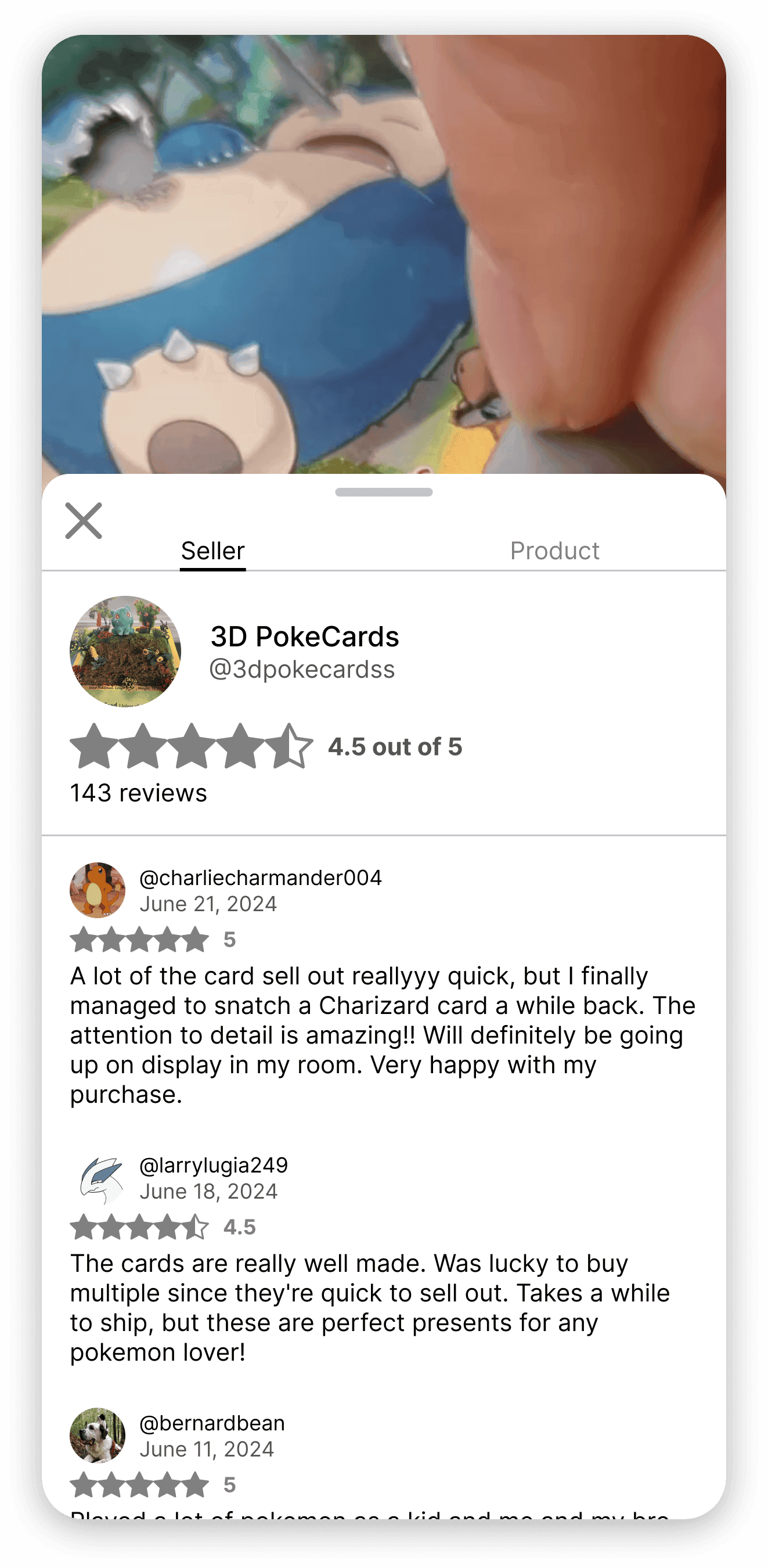
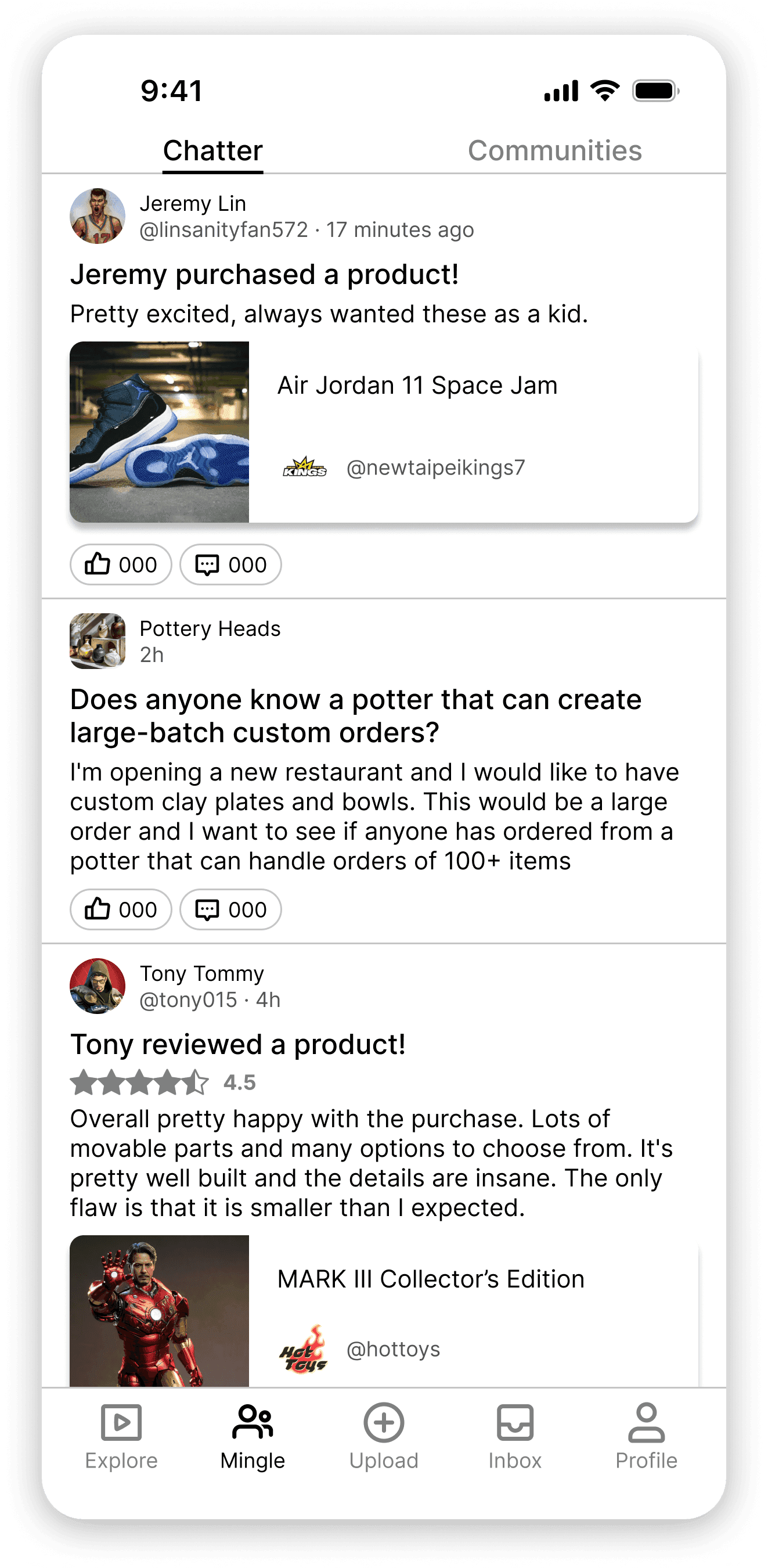
After onboarding and gaining a clear understanding of the problem, I reviewed the team’s existing screens and designs. The UI felt bland and lacked a clear brand identity, so I took the initiative to define a stronger visual direction and collaborated with a marketing teammate to build the brand from the ground up.
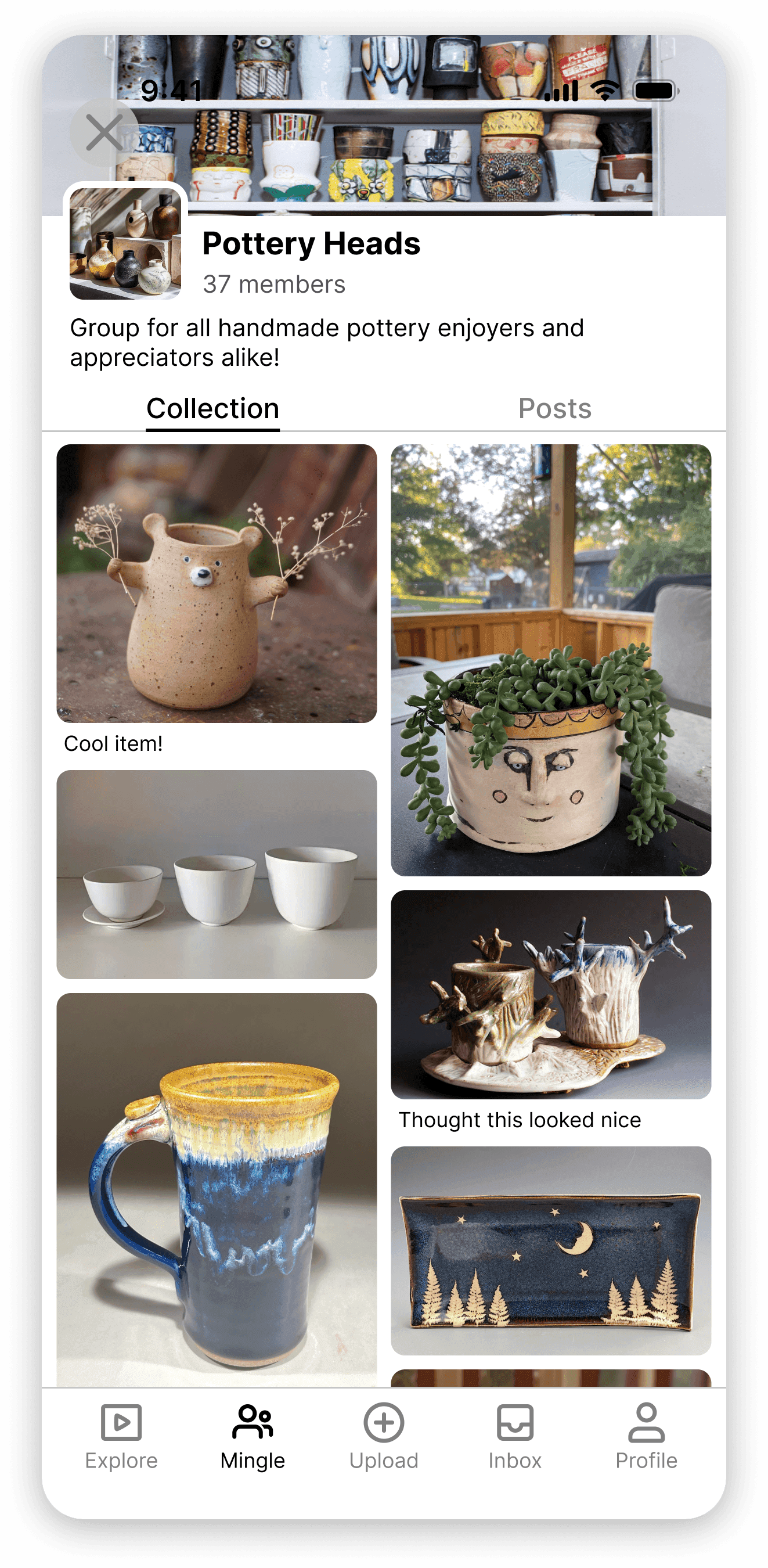
Parsing through previous research conducted by the team.
Because I joined the team mid-project, I initially had limited context around the problem space and prior research. To get up to speed, I reviewed existing interview findings, identifying recurring themes, patterns, and key insights to better understand the project’s direction.
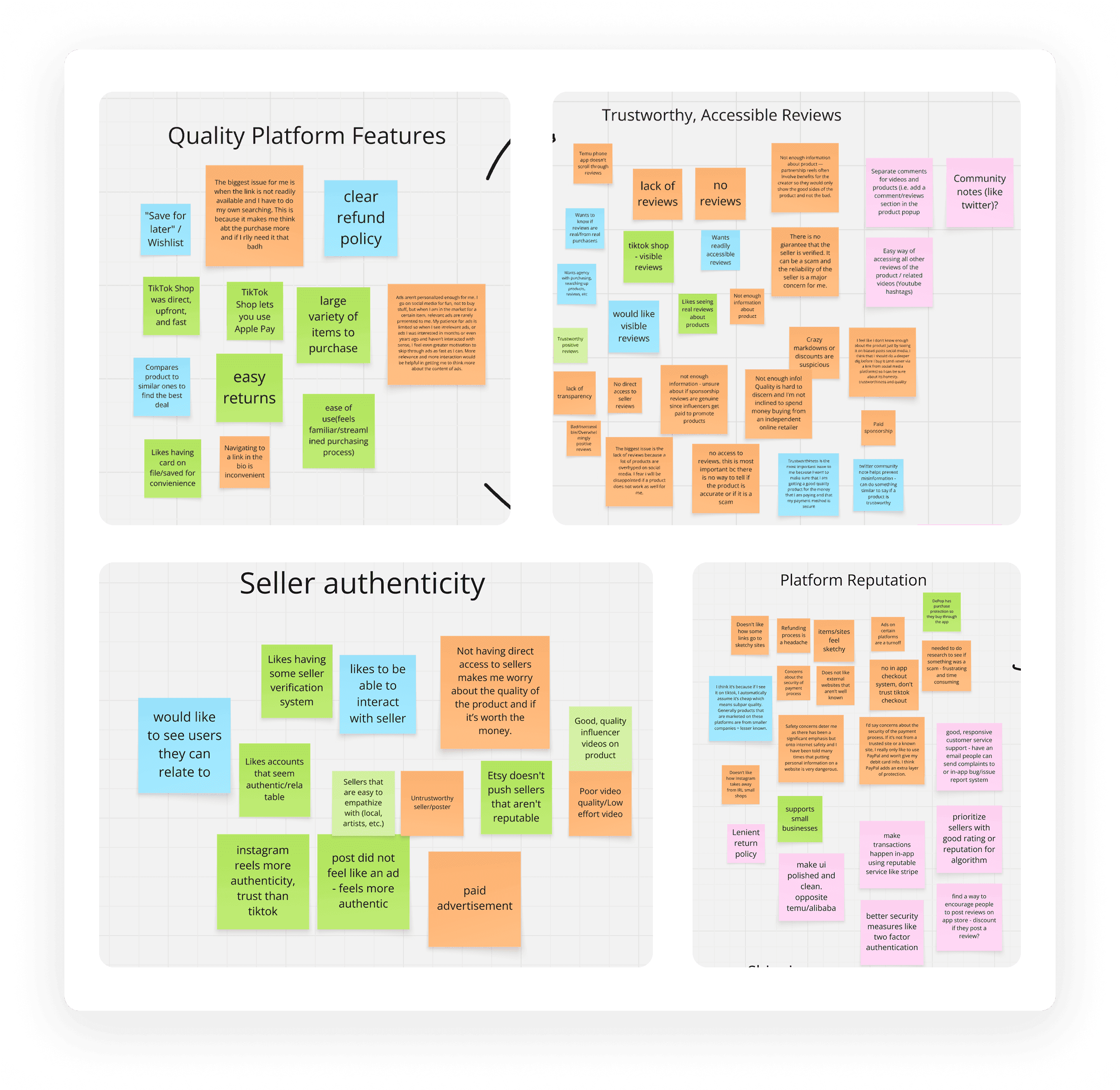
Notable insights
Highlighting major areas for improvement.
After extensive analysis of the current company mission and user interfaces, I identified three major areas of improvement that could be made in order to optimize the application before launching into the Apple Store.
- Brand Image
- Creating a unique brand identity for the startup in order to better shape the visuals of the company.
- Visual Design
- Establishing a clear and consistent interface that reflects the brand’s values and resonates with users.
- User Flows
- Ensuring a clearer user flow for more efficient and effective mobile app navigation.
Partnership deadline
We partnered with the second biggest Arts & Crafts Festival in Los Angeles.
With our new partnership with the Jackalope Arts Fair, establishing a clear brand identity and a functional mobile app by April 23rd became critical. Our goal was to attend the Pasadena Arts & Crafts festival and pitch the concept directly to sellers and buyers on-site.
Branding process · 8 weeks left
Creating brand alignment for our ICPs.
A key insight shared by both marketing and myself was concern around companies handling payments and orders. In response, our team’s marketer and I focused on building a brand identity that builds trust and reflects user needs.
Creating a trusting identity with only the business in mind.
With the goal of creating a platform where users can comfortably browse, shop, and make payments, we designed the brand with business objectives in mind. We initially centered the identity around a vibrant blue palette to evoke trust, while preserving the concept of a real “Plaza” in both name and feel.
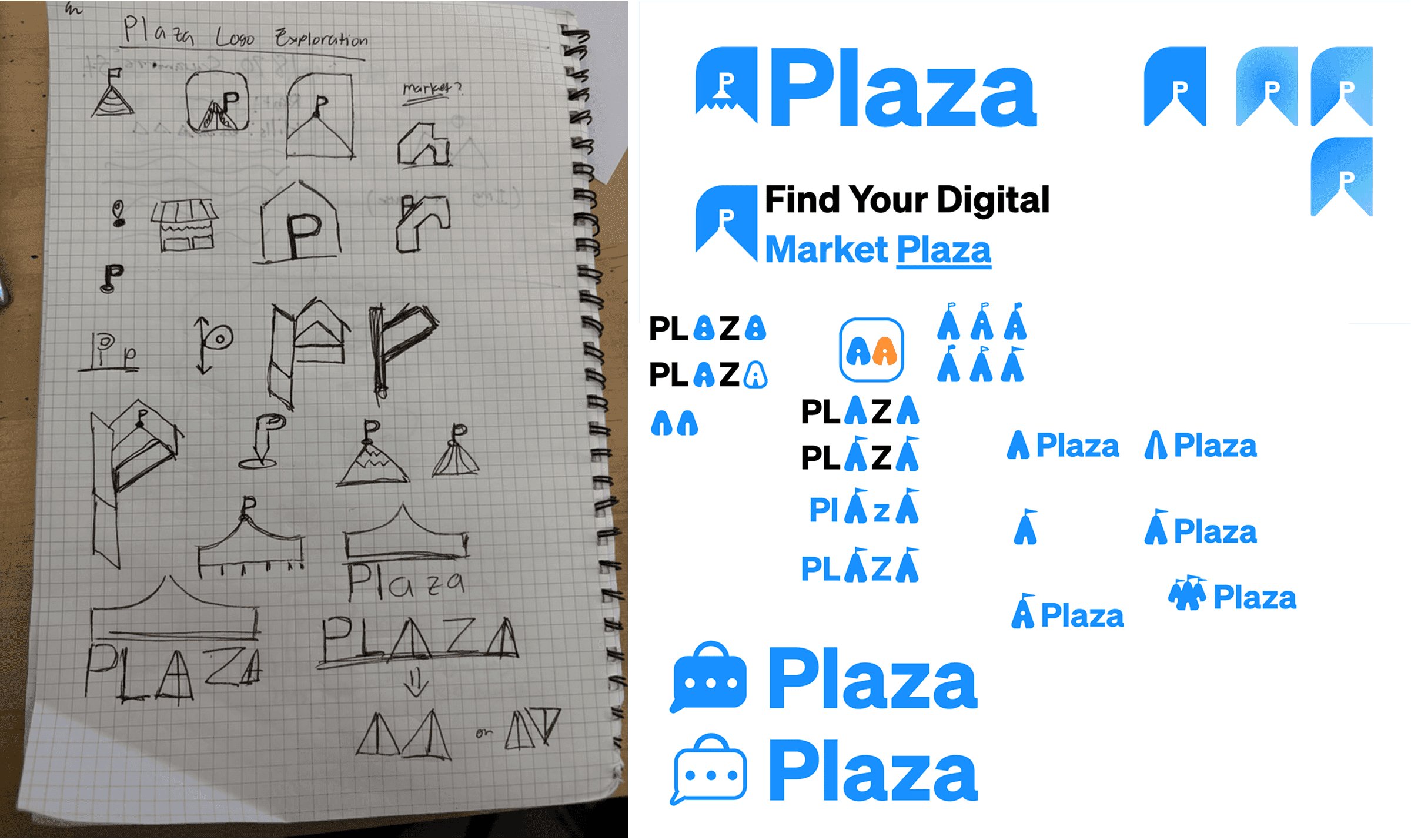
But… who is our target audience?
While this approach aligned with our business goals, it didn’t fully meet the aesthetic of our users. Our primary audience consists of arts and crafts artisans who deeply value aesthetics, authenticity, and creative expression. With this in mind, we realized that our previous, more corporate-leaning brand identity would not reflect the artistic community we aimed to support.
A new approach to branding for our target audience.
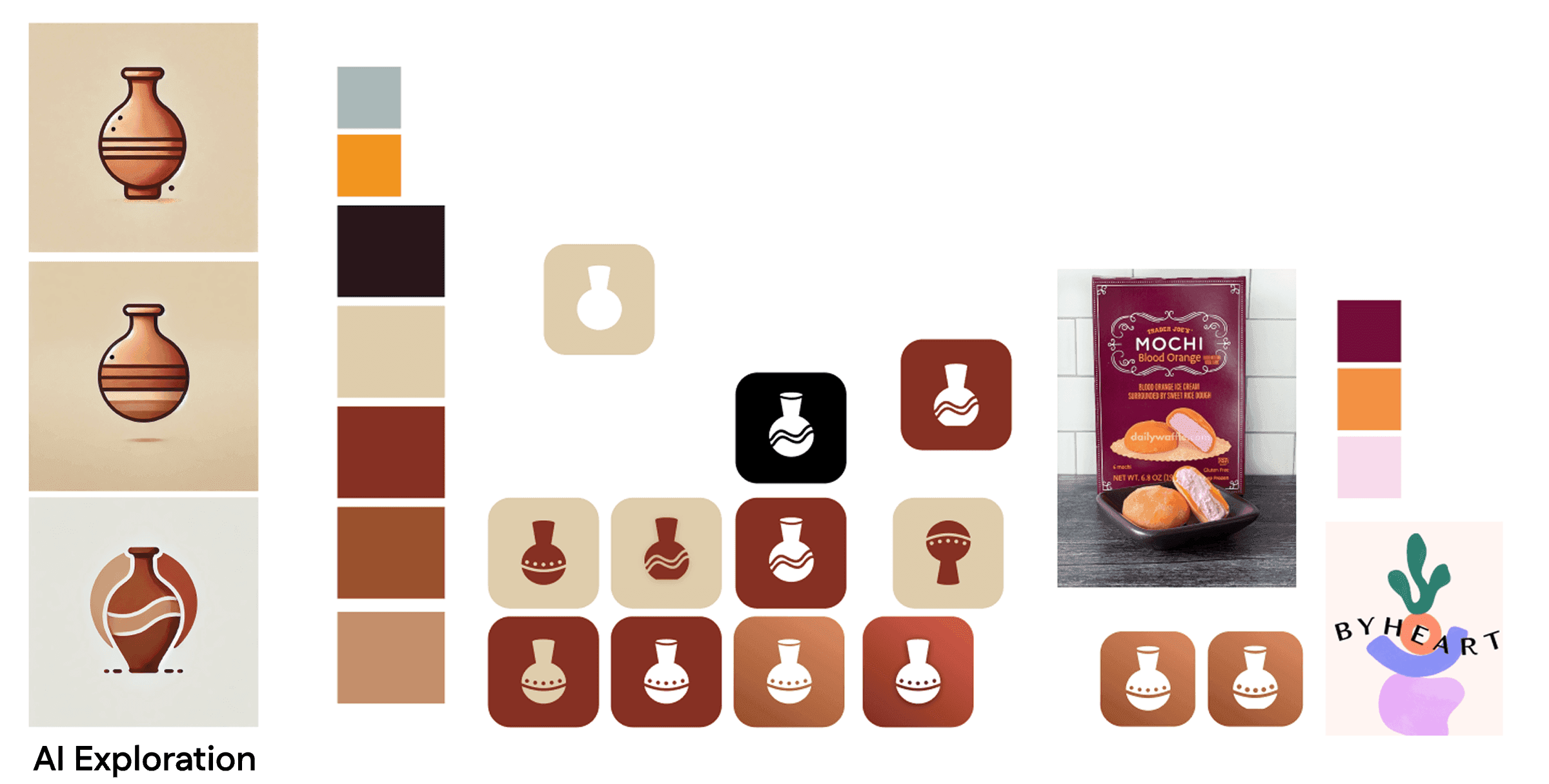
After reassessing our users’ needs and target audience, we shifted our branding direction. Using generative AI tools, we explored creative concepts and settled on a style that felt more whimsical, authentic, and visually expressive, better reflecting the artistic community we aimed to serve.
Final brand · 7 weeks left
A brand that speaks to our audience.
Stakeholder interview · 7 weeks left
Interviewing stakeholders to understand new business goals.
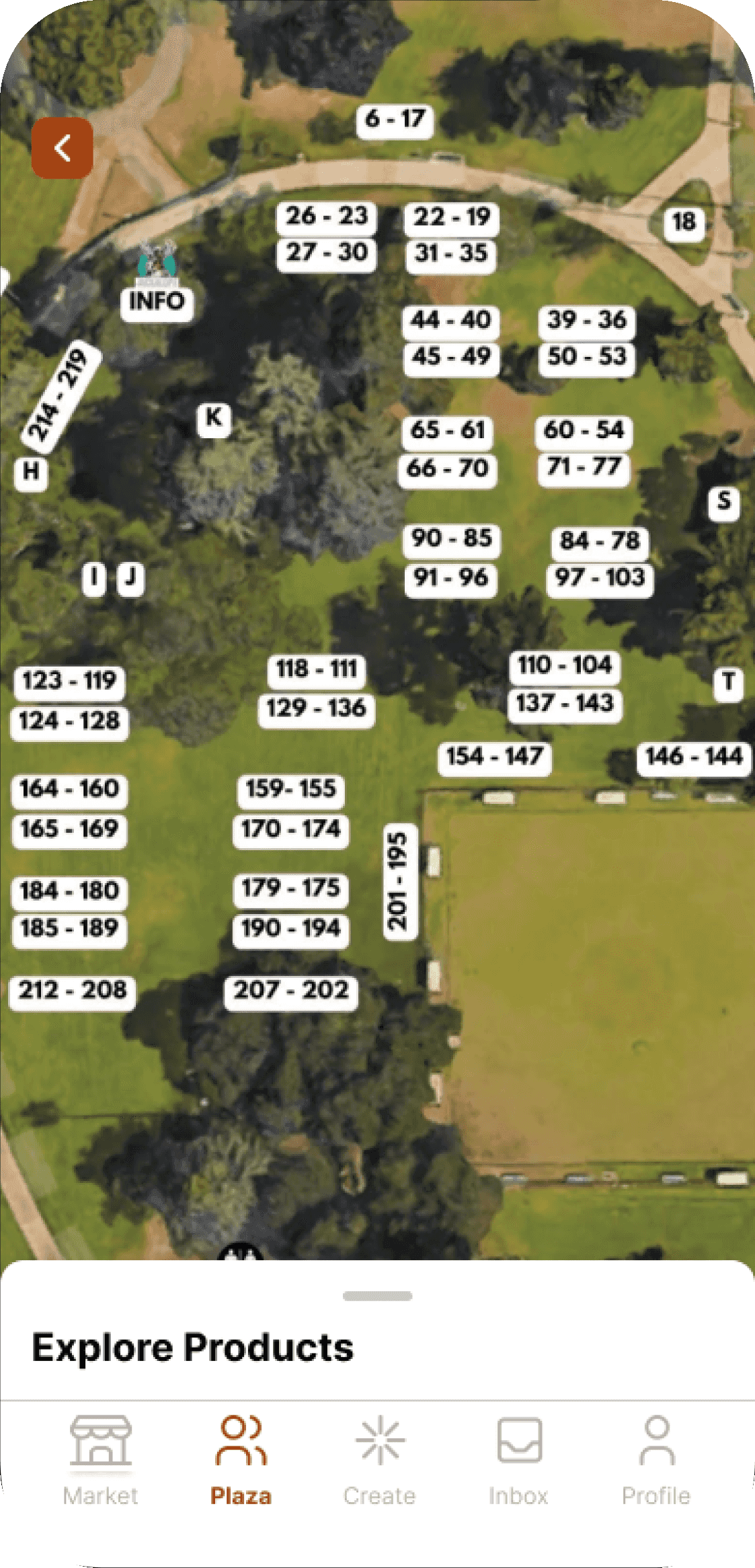
We scheduled a call with Jackalope representatives to understand their goals for the arts and crafts festival. They highlighted key requirements, most notably an interactive Arts Festival Map to help attendees navigate the event, which we then incorporated into our project scope.
- Arts Festival Map
- Provide Jackalope goers with a seamless navigation experience around the in-person festival.
- Product Videos
- Short form videos to allow artists to showcase their products.
- Product Purchasing
- Providing a smooth experience in supporting arts & crafts sellers.
- Community Groups
- Creating an arts & crafts community on the platform.
Optimizing user flows · 7 weeks left
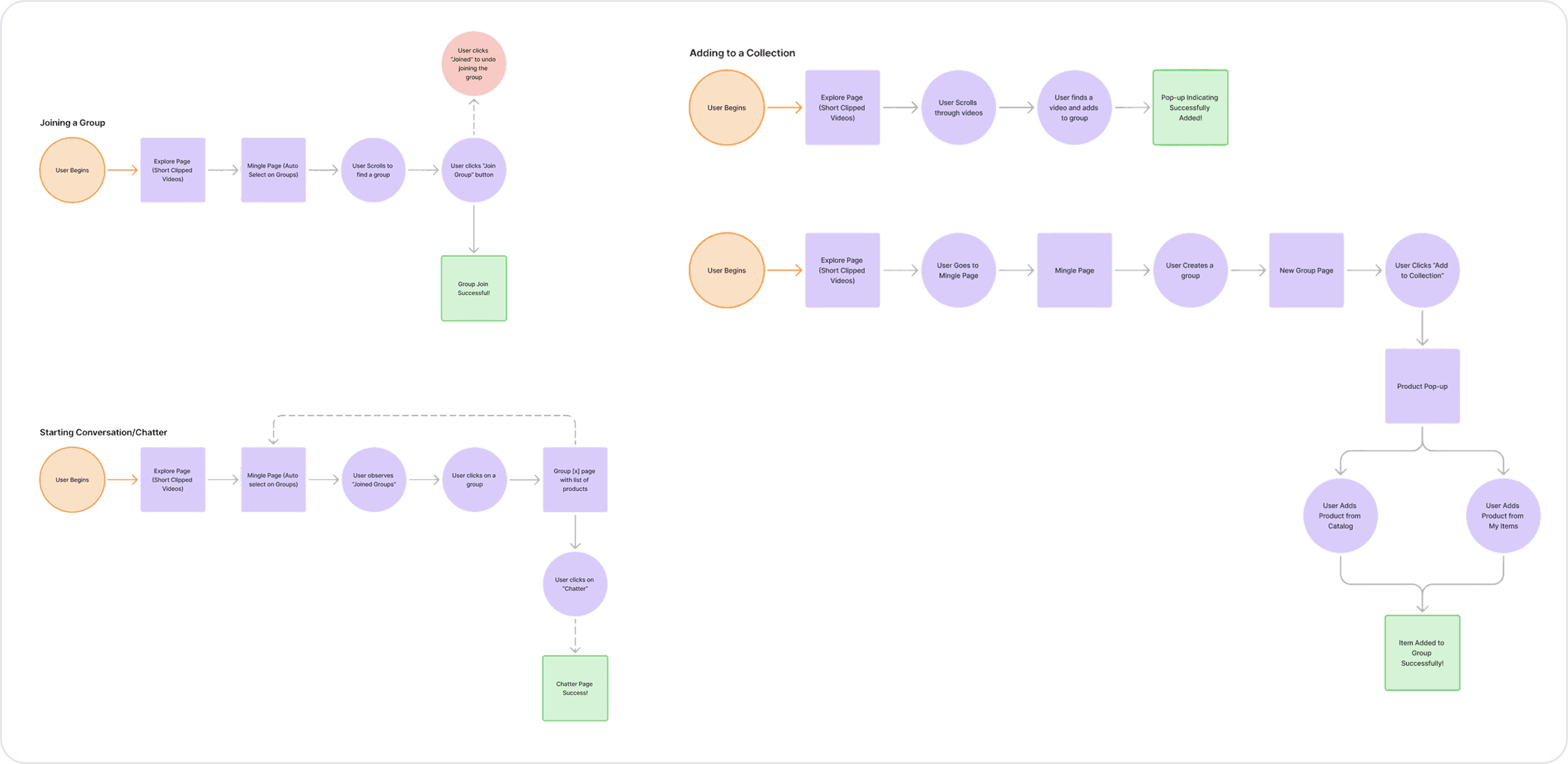
Creating multiple flows for a multitude of screens.
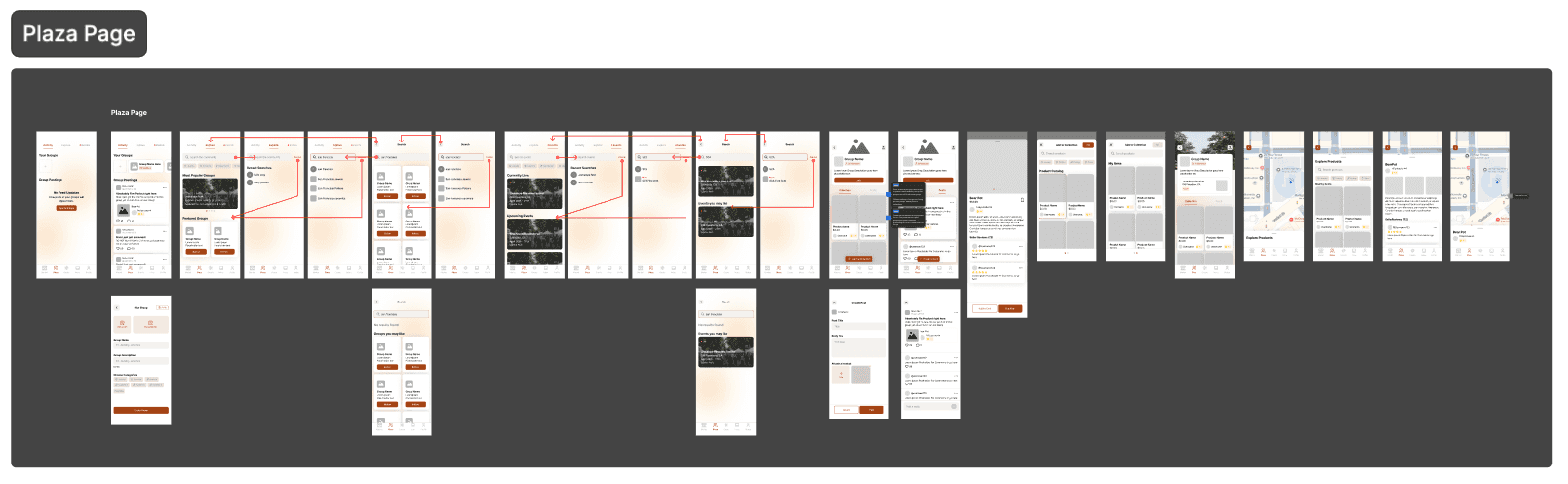
With the existing product requirements and new stakeholder needs in mind, the CEO and I mapped potential user flows for the mobile app. This clarified navigation and ensured each feature aligned with both our original goals and Jackalope’s expectations.
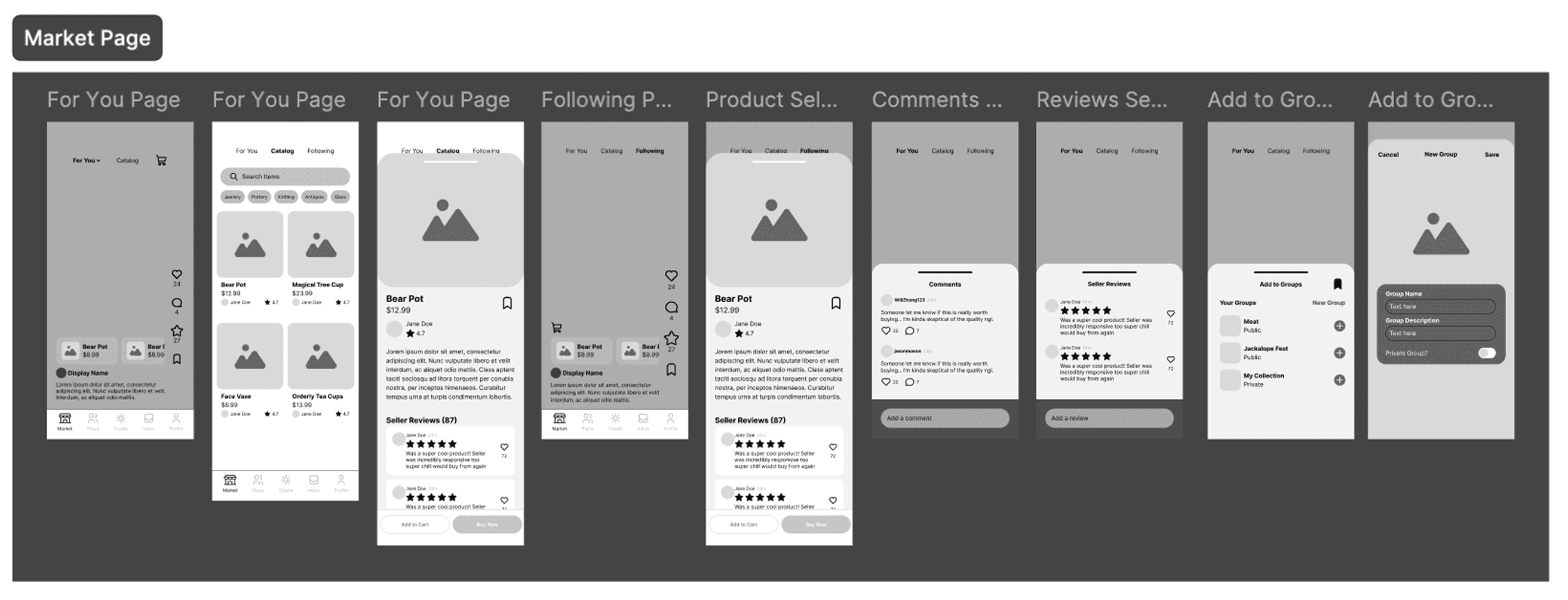
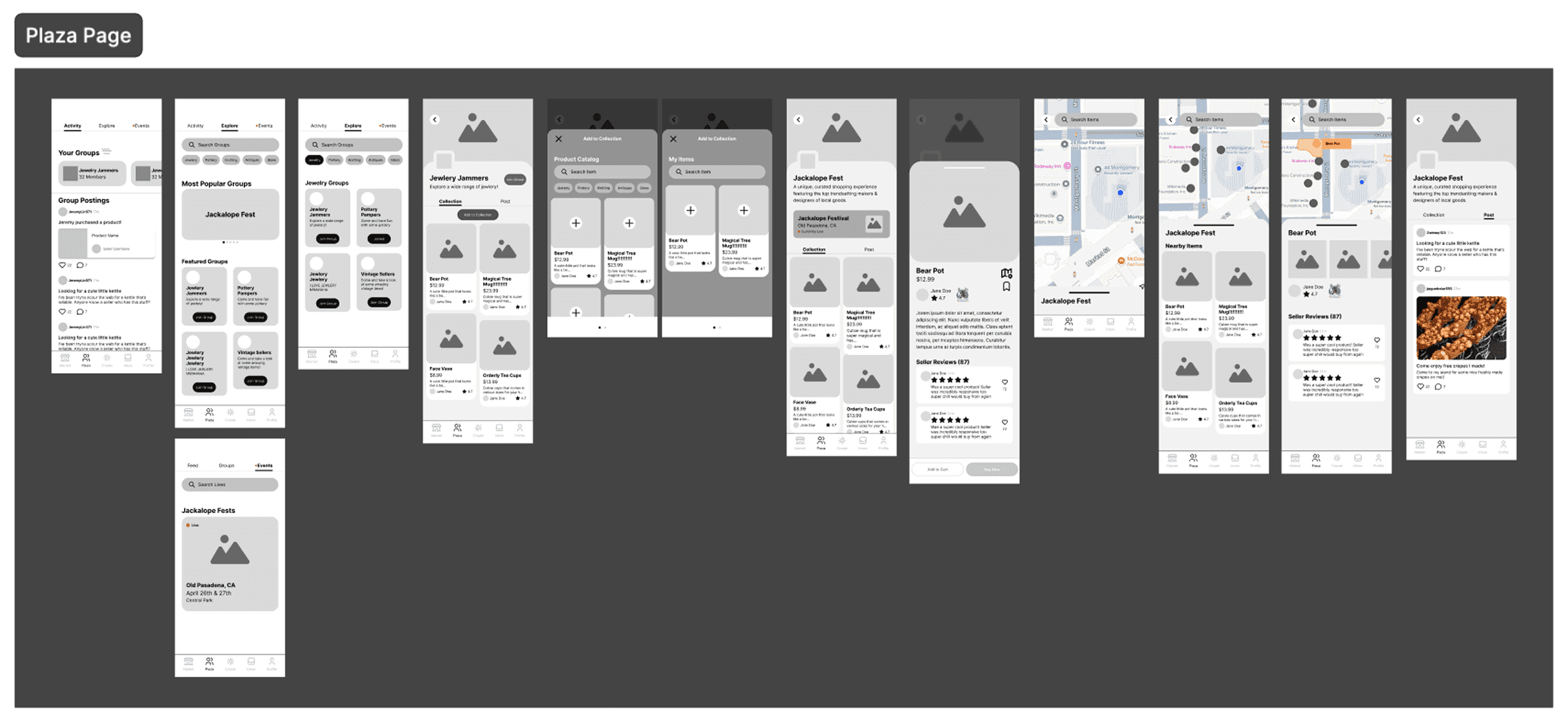
Low fidelity building · 6 weeks left
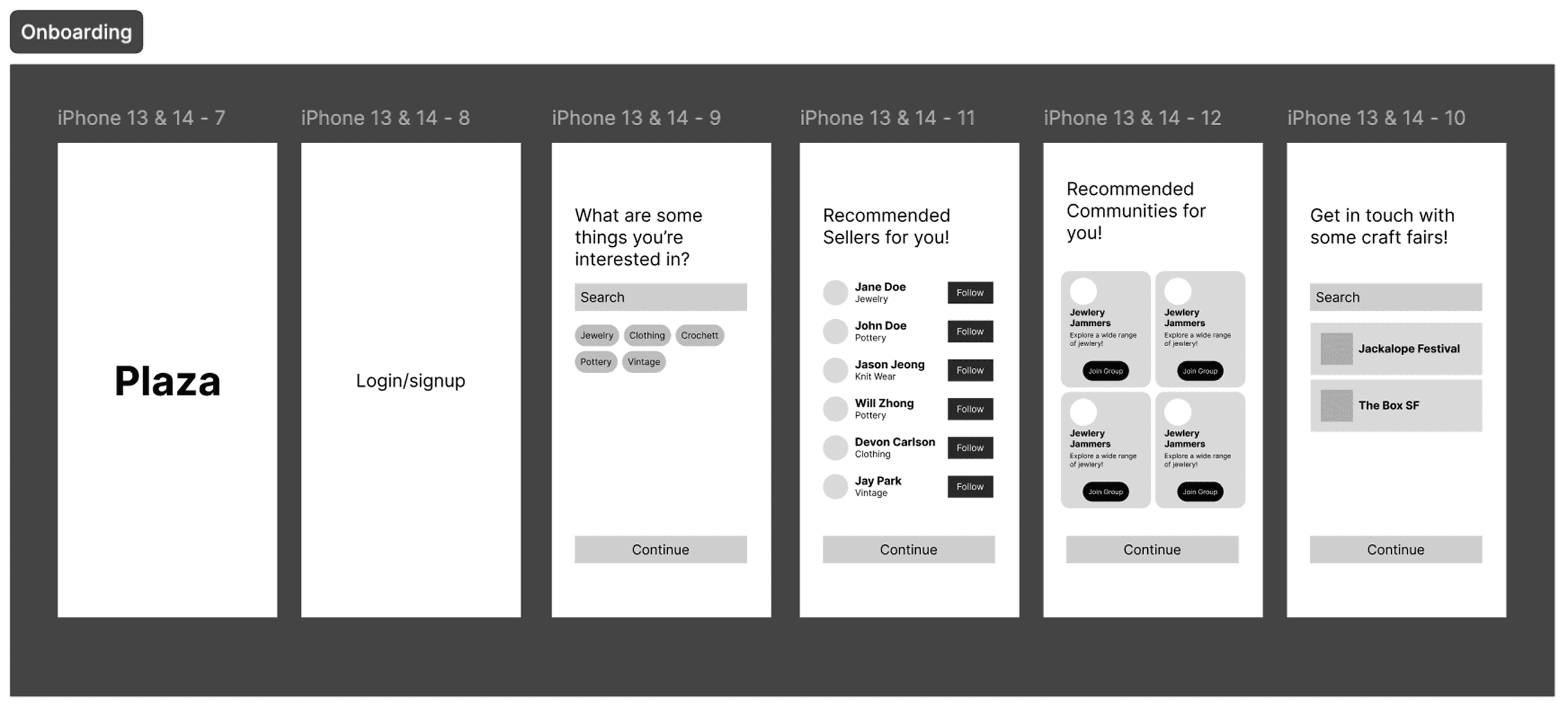
Feeling out the flow of the application.
Once the user flows were finalized, we created low-fidelity prototypes of the mobile app. These were tested internally to identify experience gaps and refine the design through rapid iteration.
Dev + design · 4 weeks left
I wanted to understand the needs of the developers.
After defining the app’s general flow, I held informal discussions with the development team to explore ways to streamline the design-to-development handoff. Key pain points that emerged are listed below.
Time consuming
“With the amount of time I spend on front-end, I think I could’ve solved every single bug that we have in the mobile application right now.”
Developer
Tedious work
“Just having to go back and forth to each individual screen can be really tedious and just causes too much back and forth.”
Developer
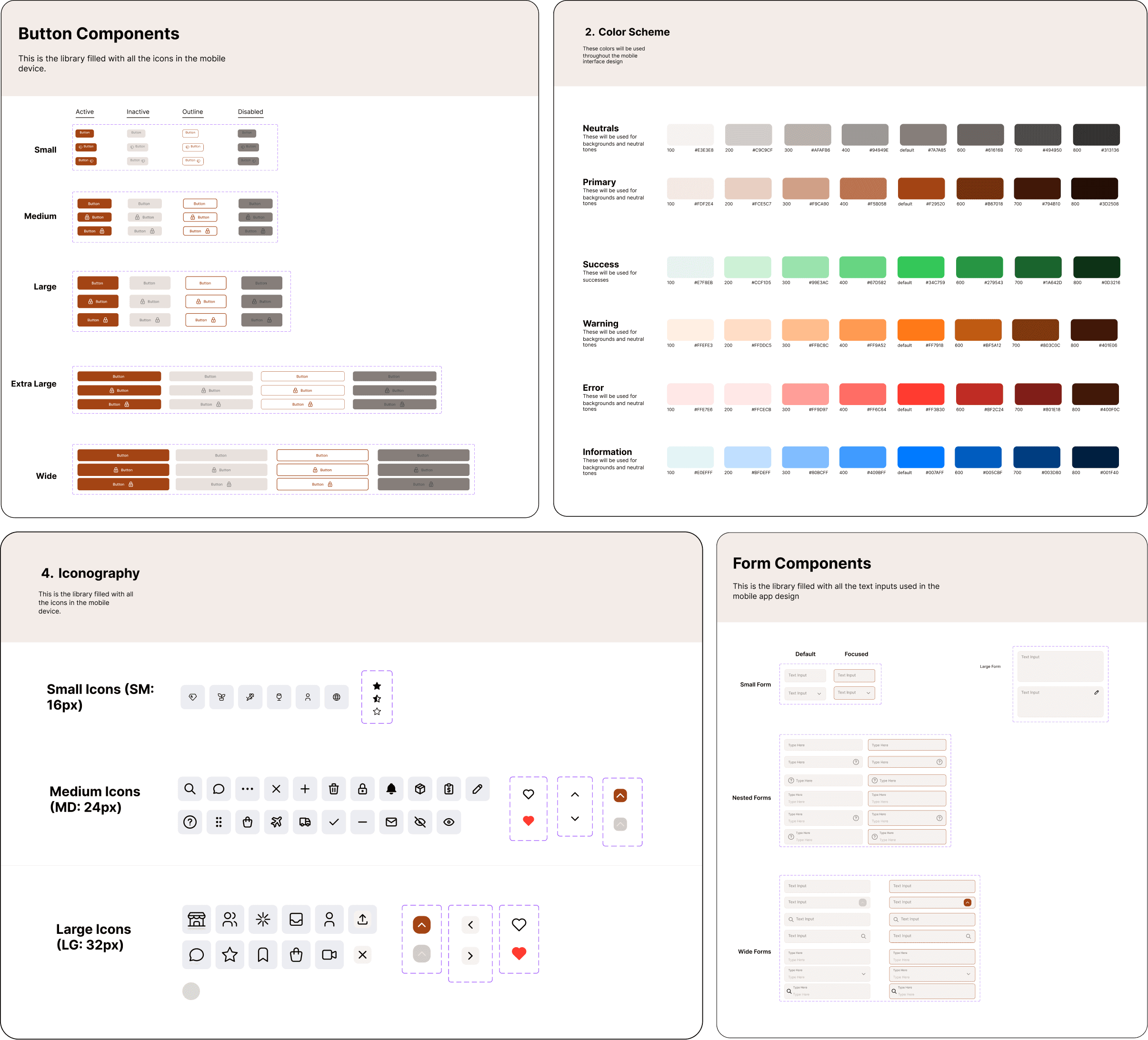
To reduce development time, a design system was implemented.
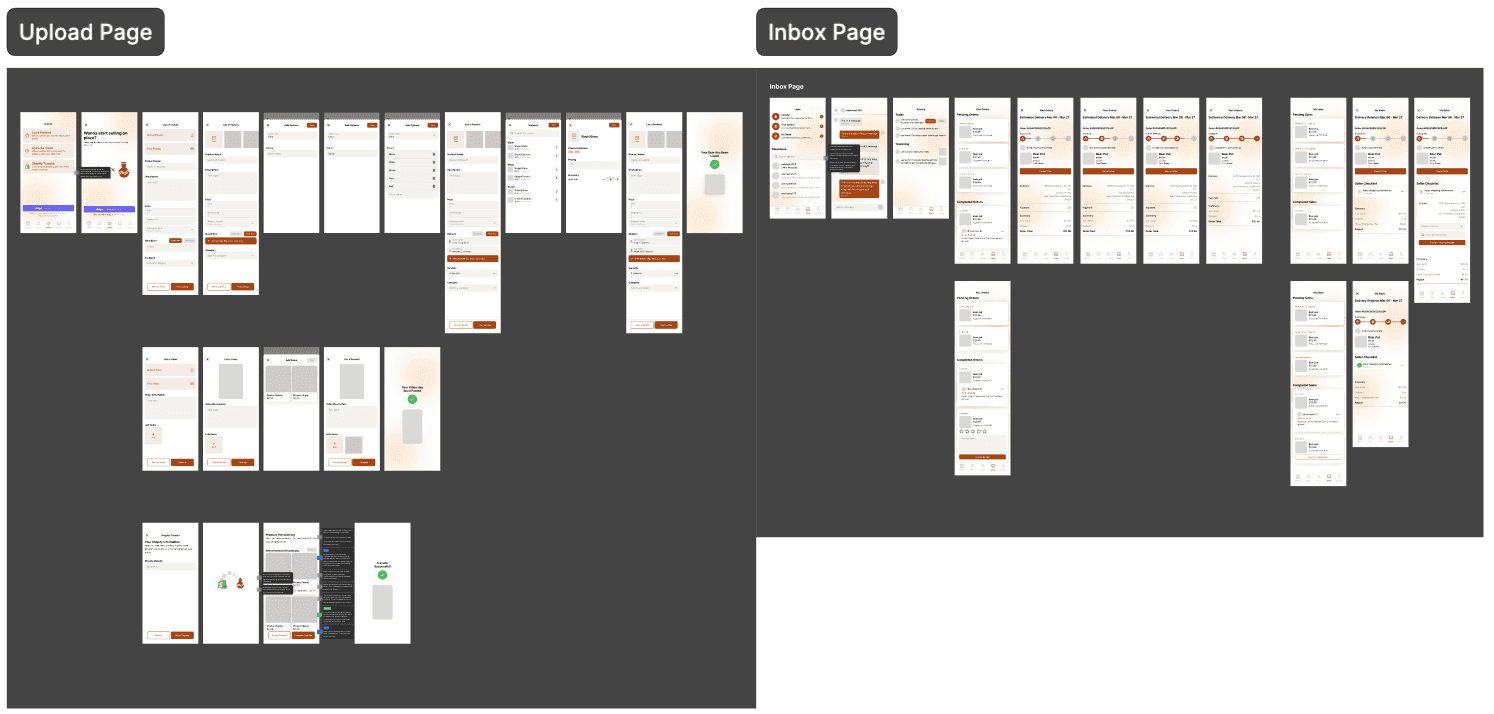
As a startup, speed was critical in both design and development. To support this, I created a design system while building mid-fidelity prototypes, ensuring consistency and streamlining the handoff to developers.
Connecting it all together · 2 weeks left
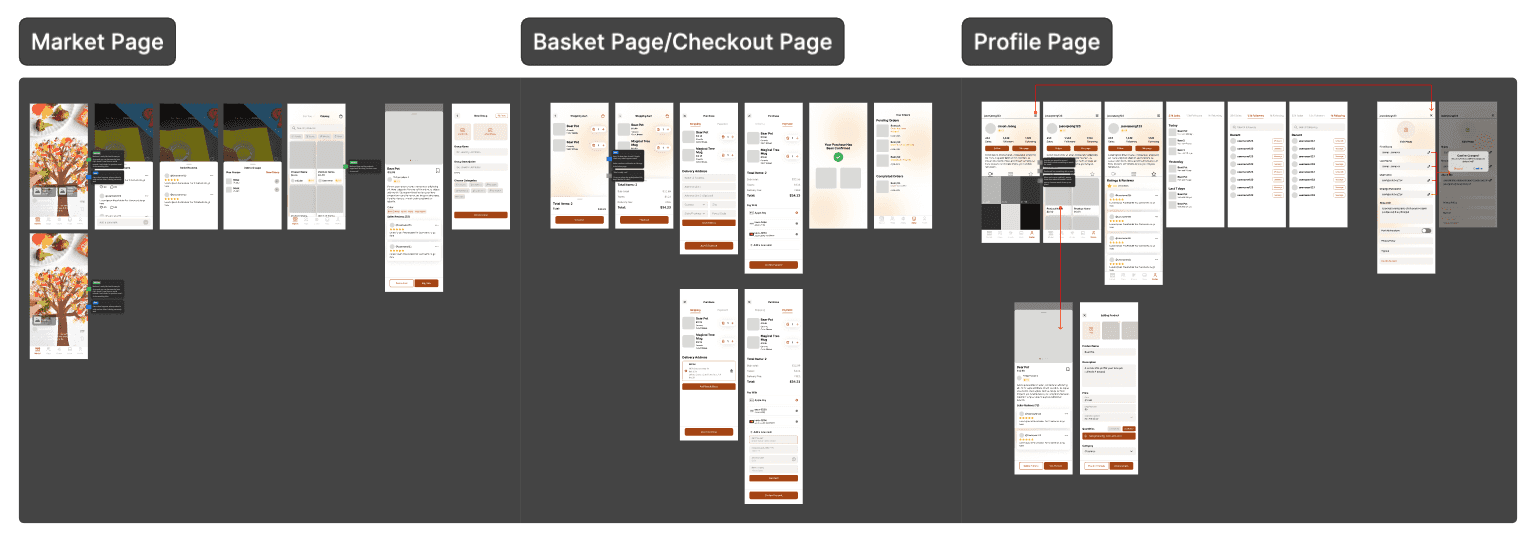
Connecting everything that was built to start a mid-fidelity.
With branding, visual identity, user flows, and a complete design system in place, I created a mid-fidelity mockup that integrated all visual and functional elements of the app.
Stakeholder feedback · 2 weeks left
We gained valuable feedback from our stakeholders in the project.
After completing the mid-fidelity mockup, we met with Jackalope representatives to gather feedback and assess alignment with their expectations. A pivotal insight emerged: the opportunity to integrate Shopify transfers, which became a key feature for smooth user onboarding and overall platform success.

Final solution
Bringing the arts & crafts community closer.
Plaza is a place where all arts & crafts sellers and buyers can come and create their own niche communities and connect with one another all within a single platform.
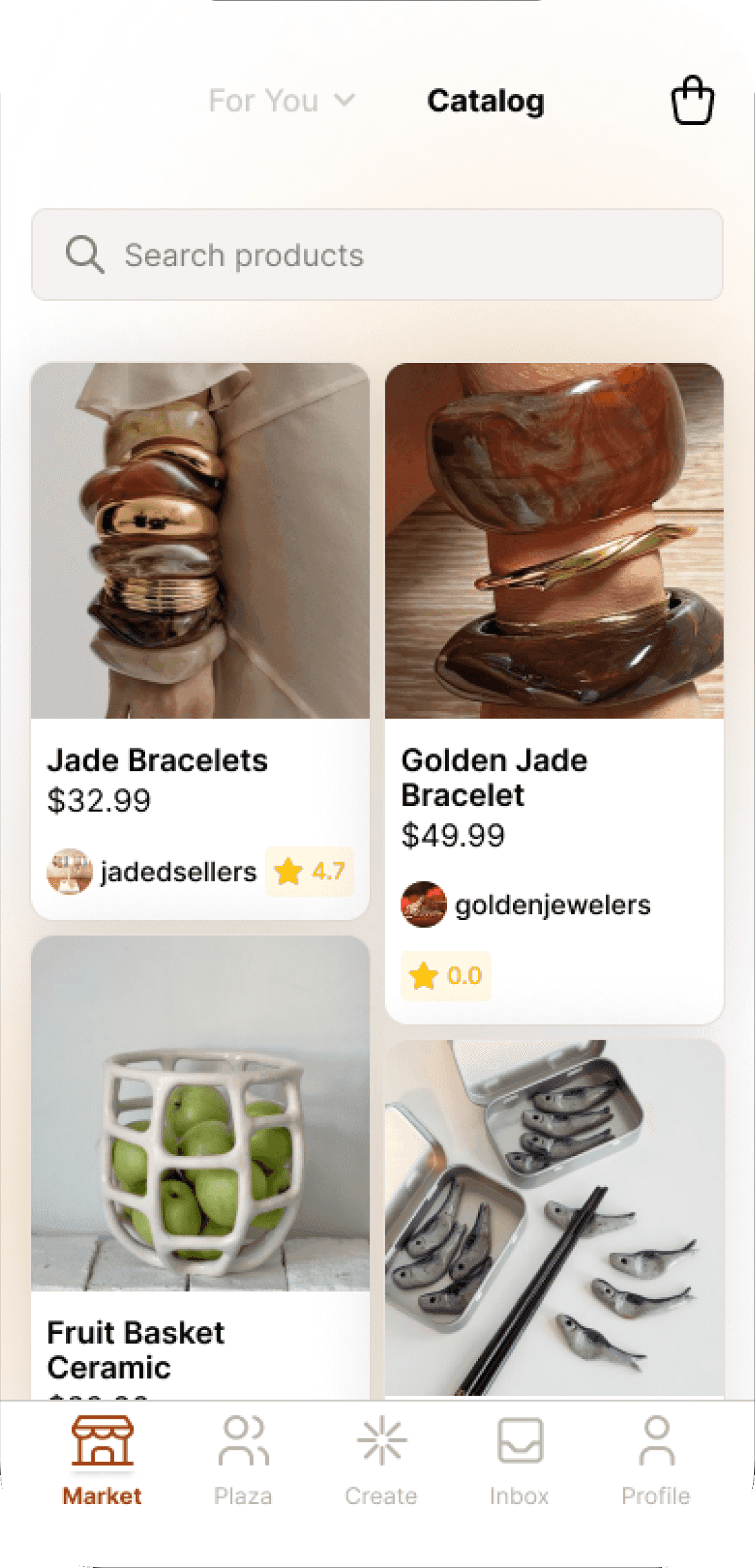
Discover New Artists & Crafts
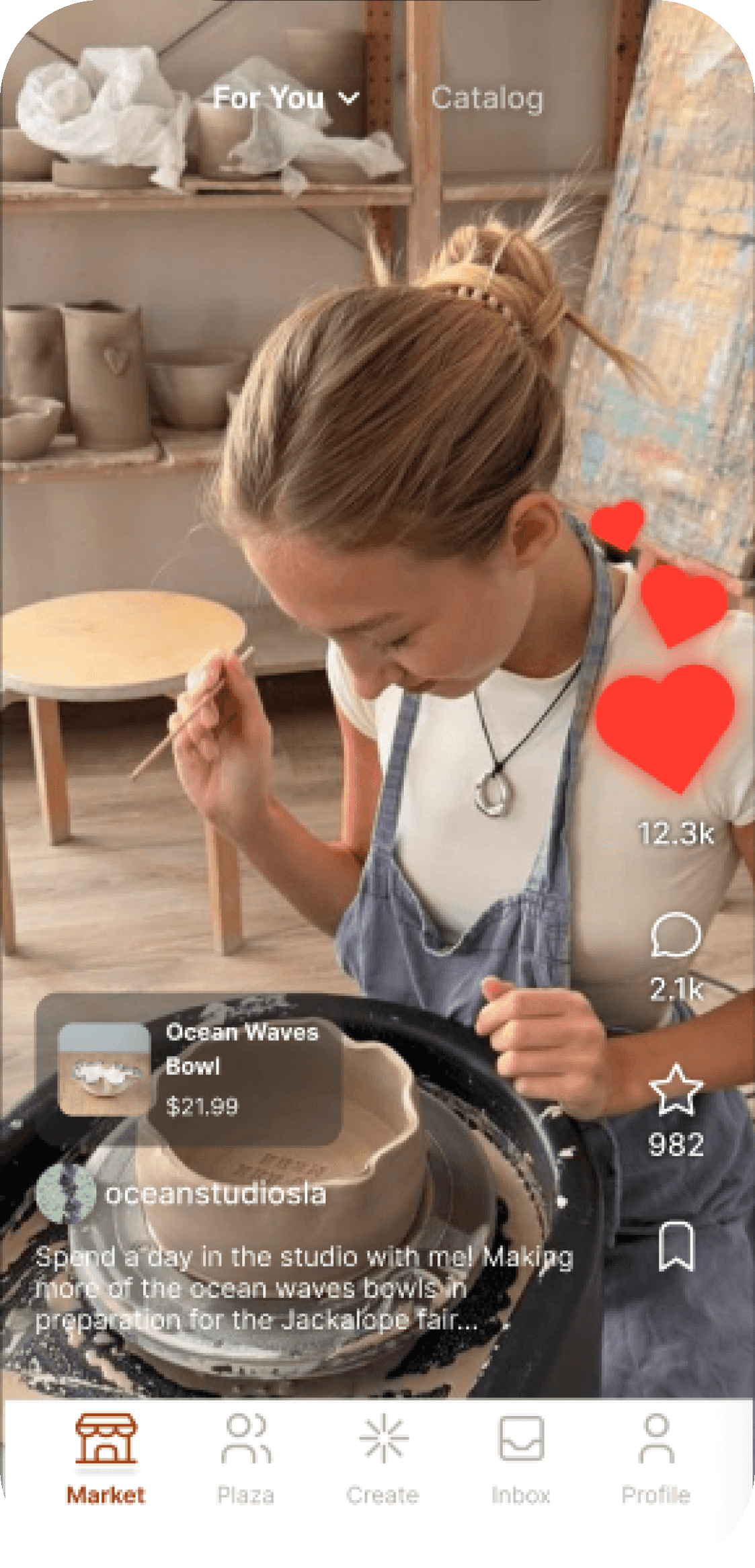
Through short form video content and a catalog of products, users can browse and discover various artists and products.
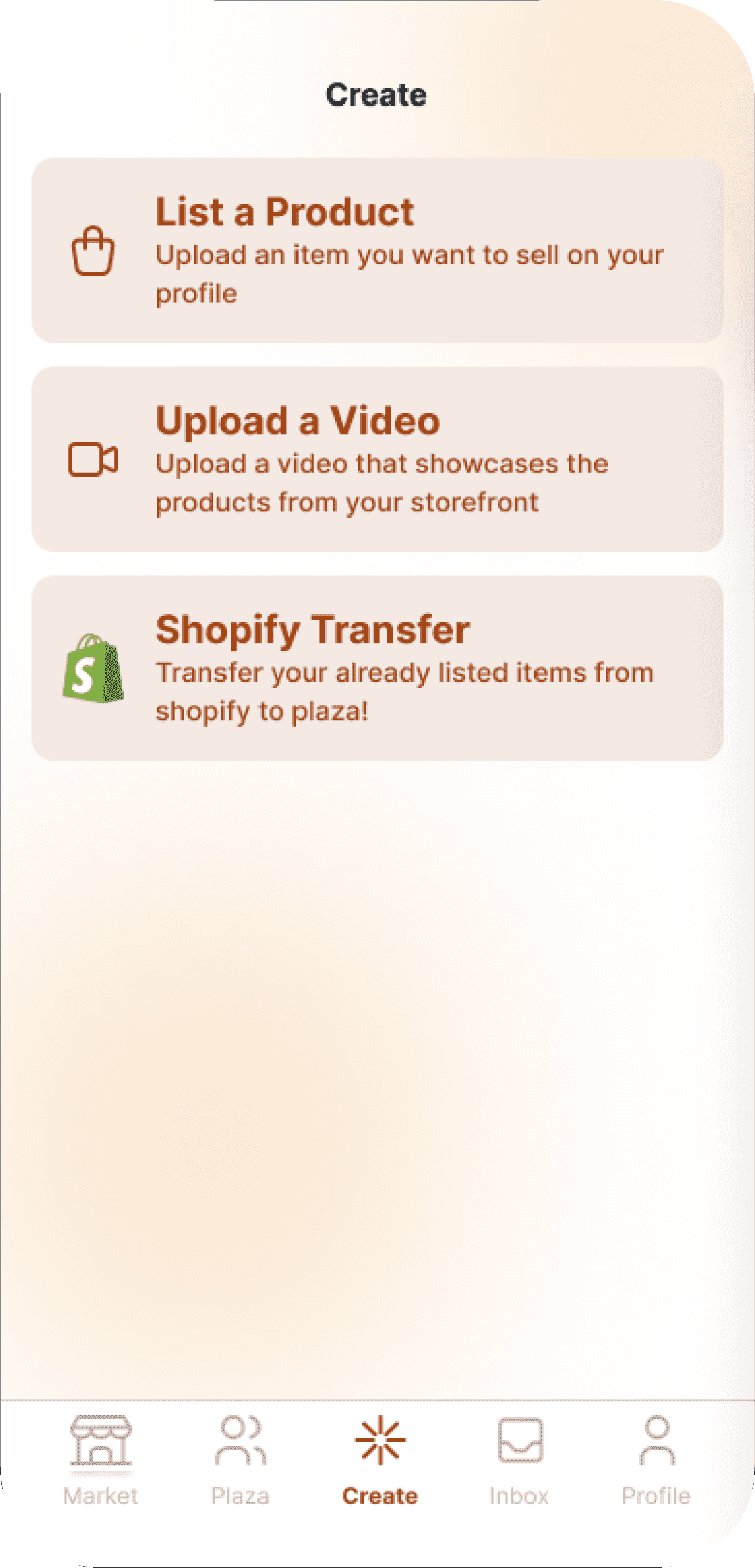
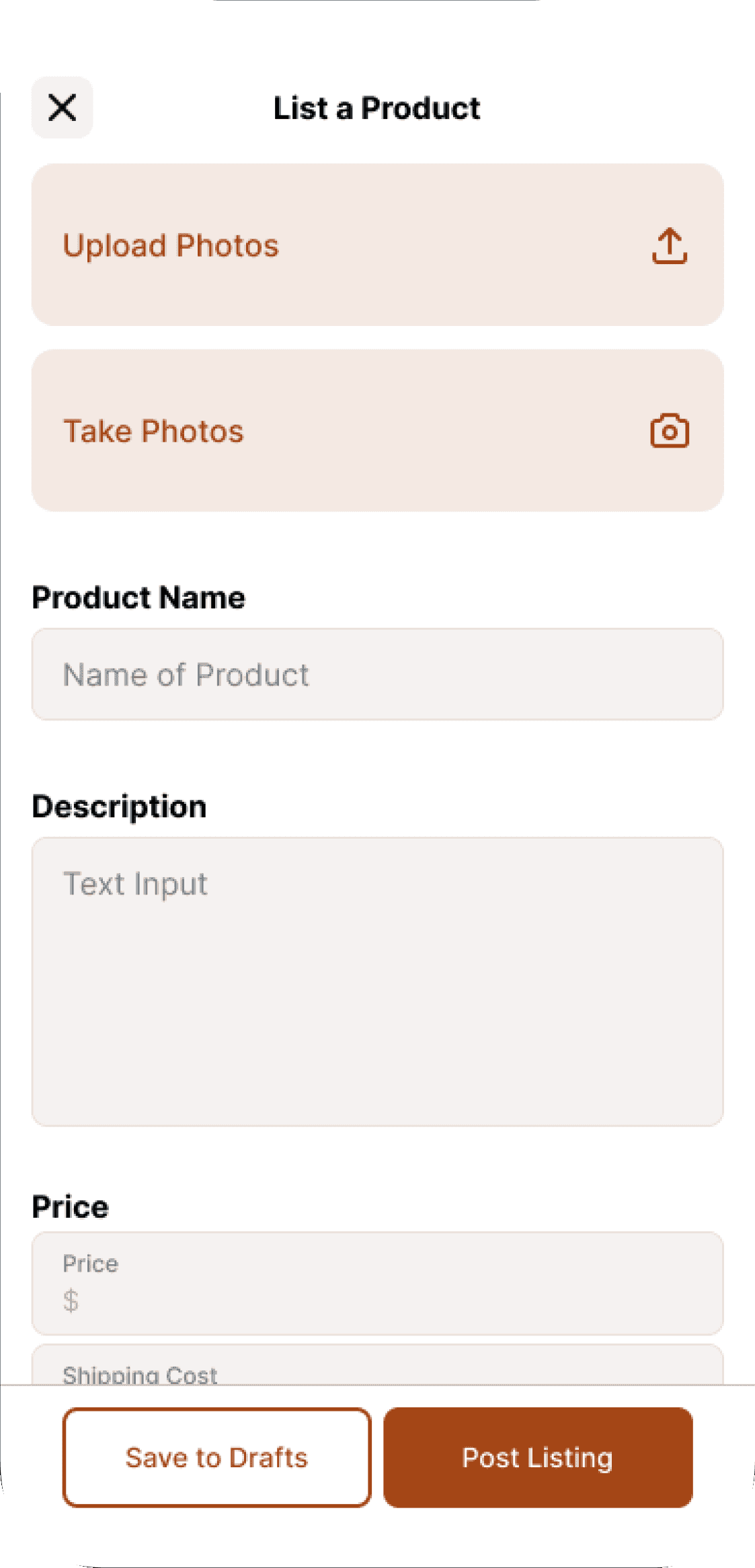
Upload & Transfer Products with Ease
Manage and upload various products by adding them in manually or through the Shopify transfers feature.
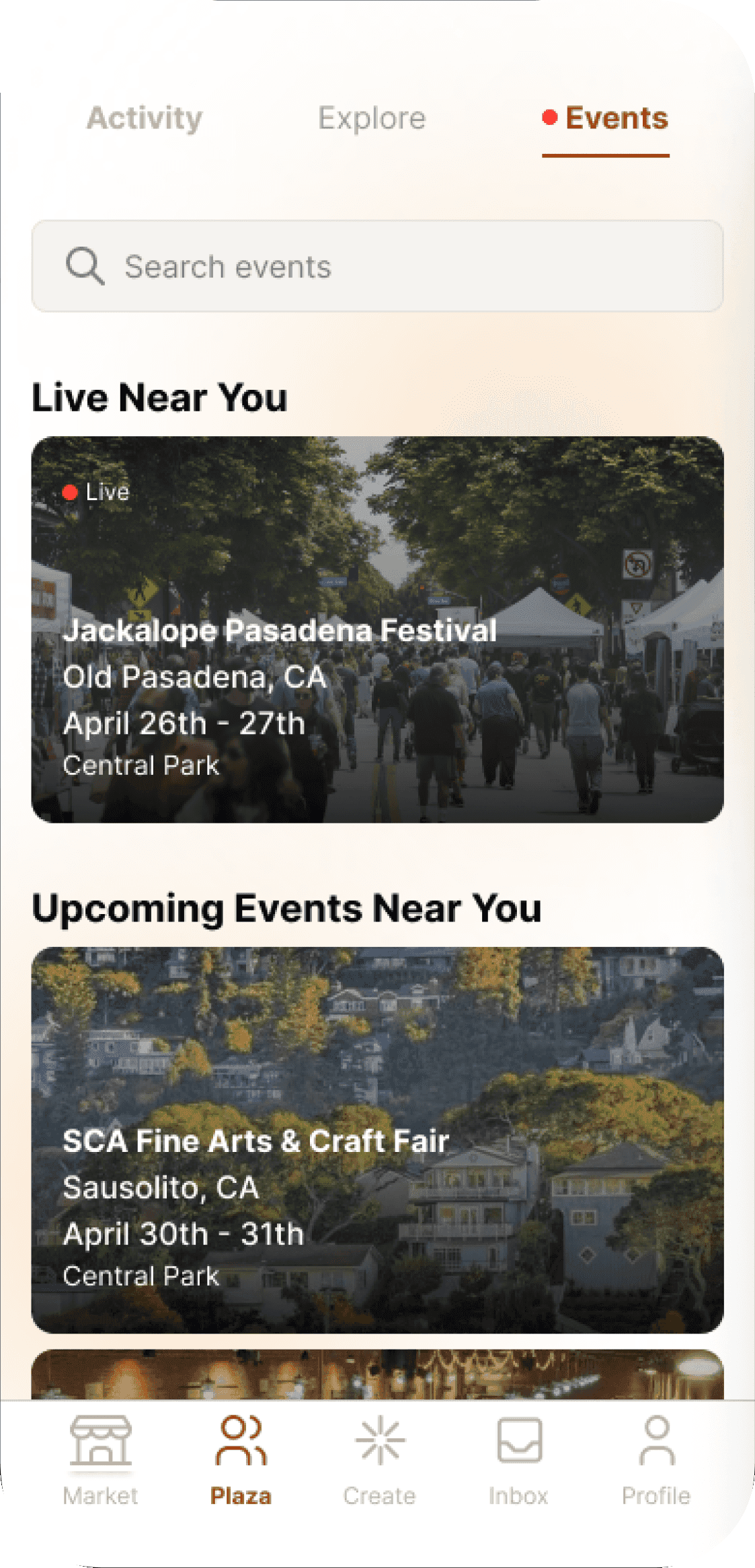
Explore Arts & Crafts Festivals
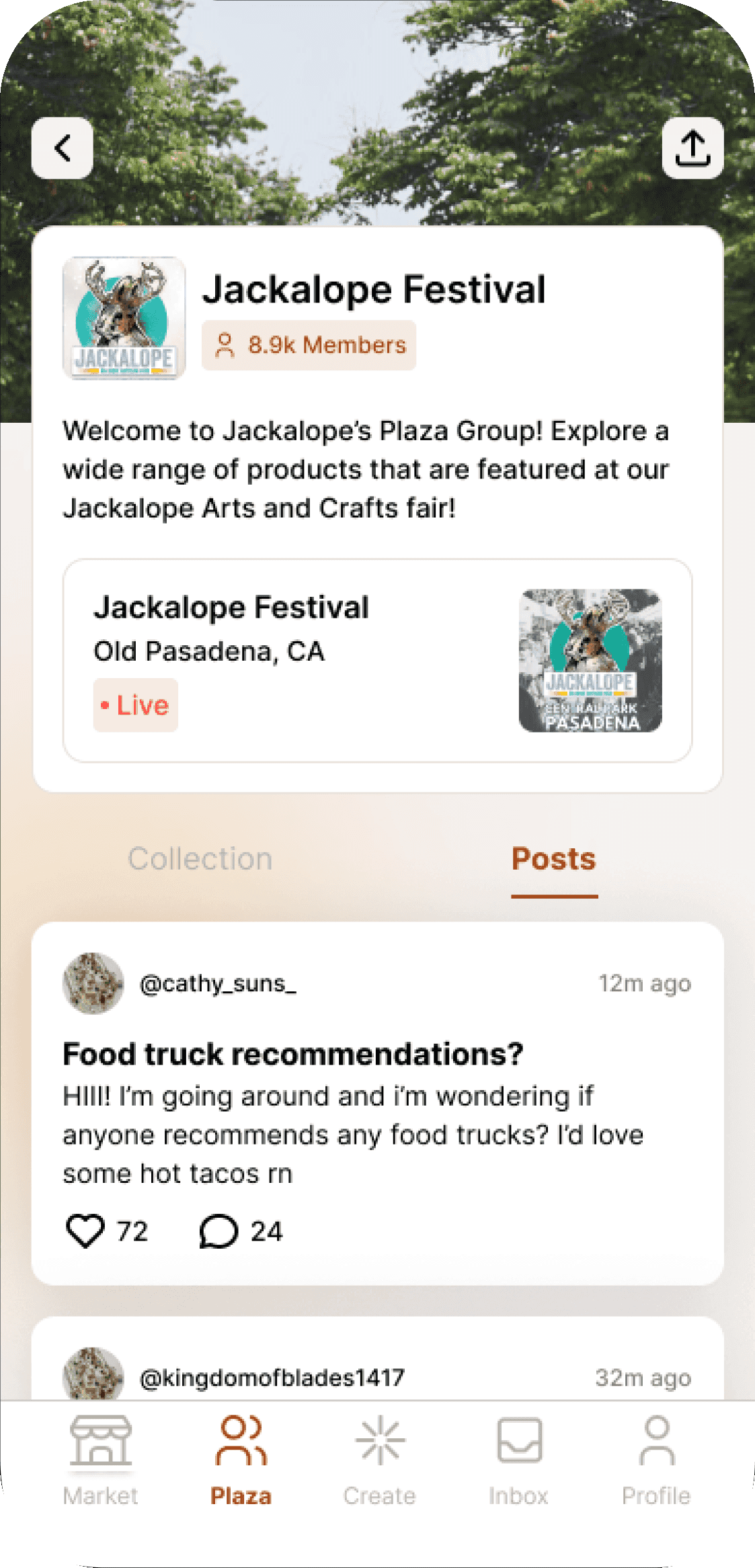
Browse and interact with various different Arts & Crafts Festivals that are going on. This is the perfect opportunity to go to these in-person events and engage with the community!
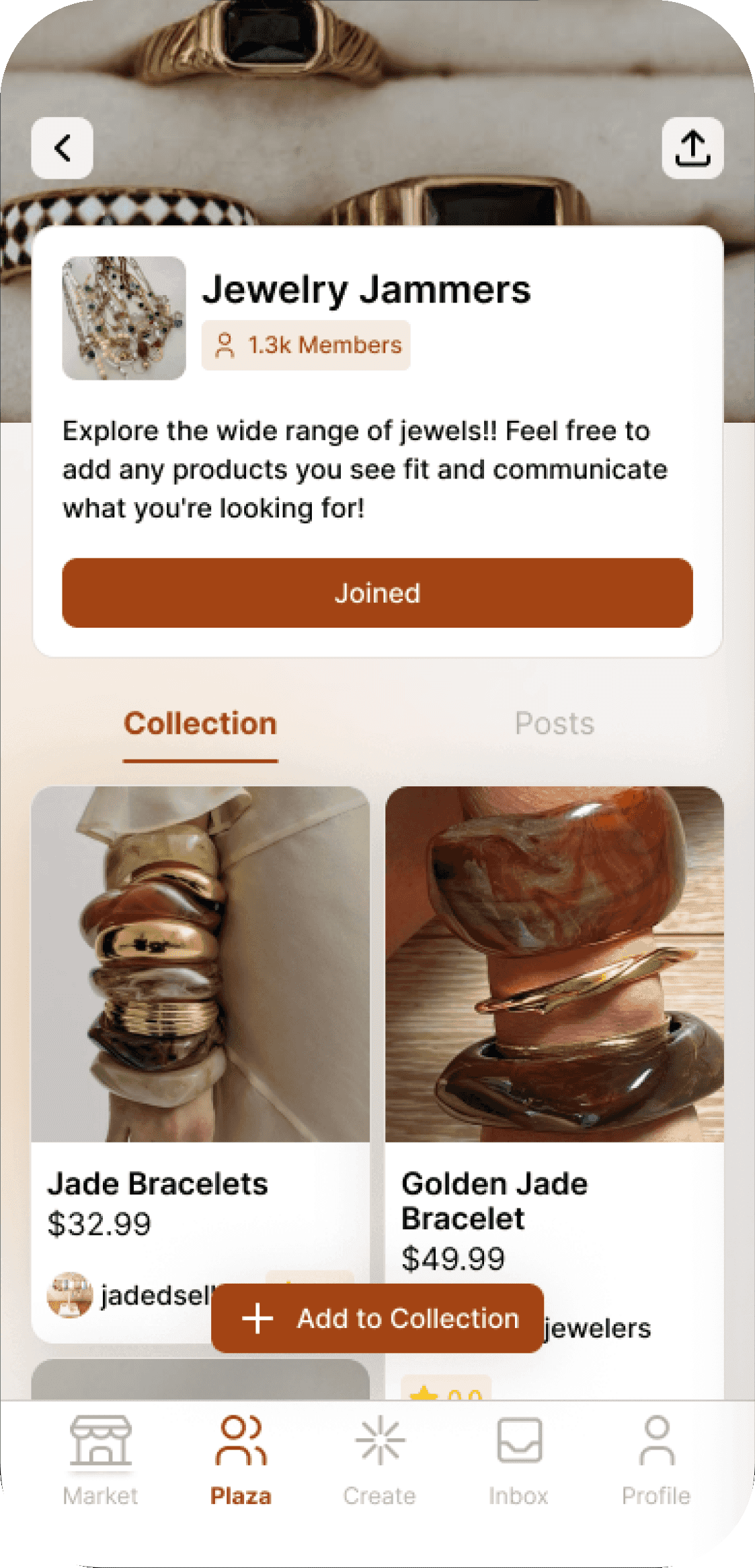
Engage in the Community
Community groups and posts allow users to interact with one another to develop a close-knit Arts & Crafts Community!
D-Day
A story I’ll tell my grandchildren.
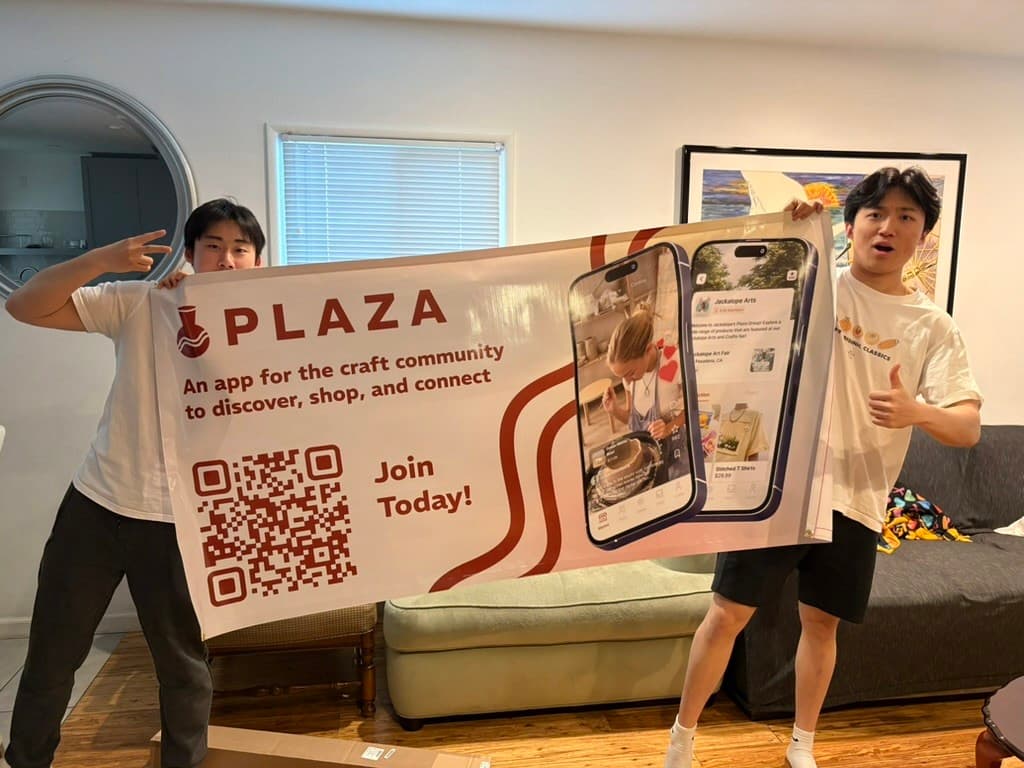
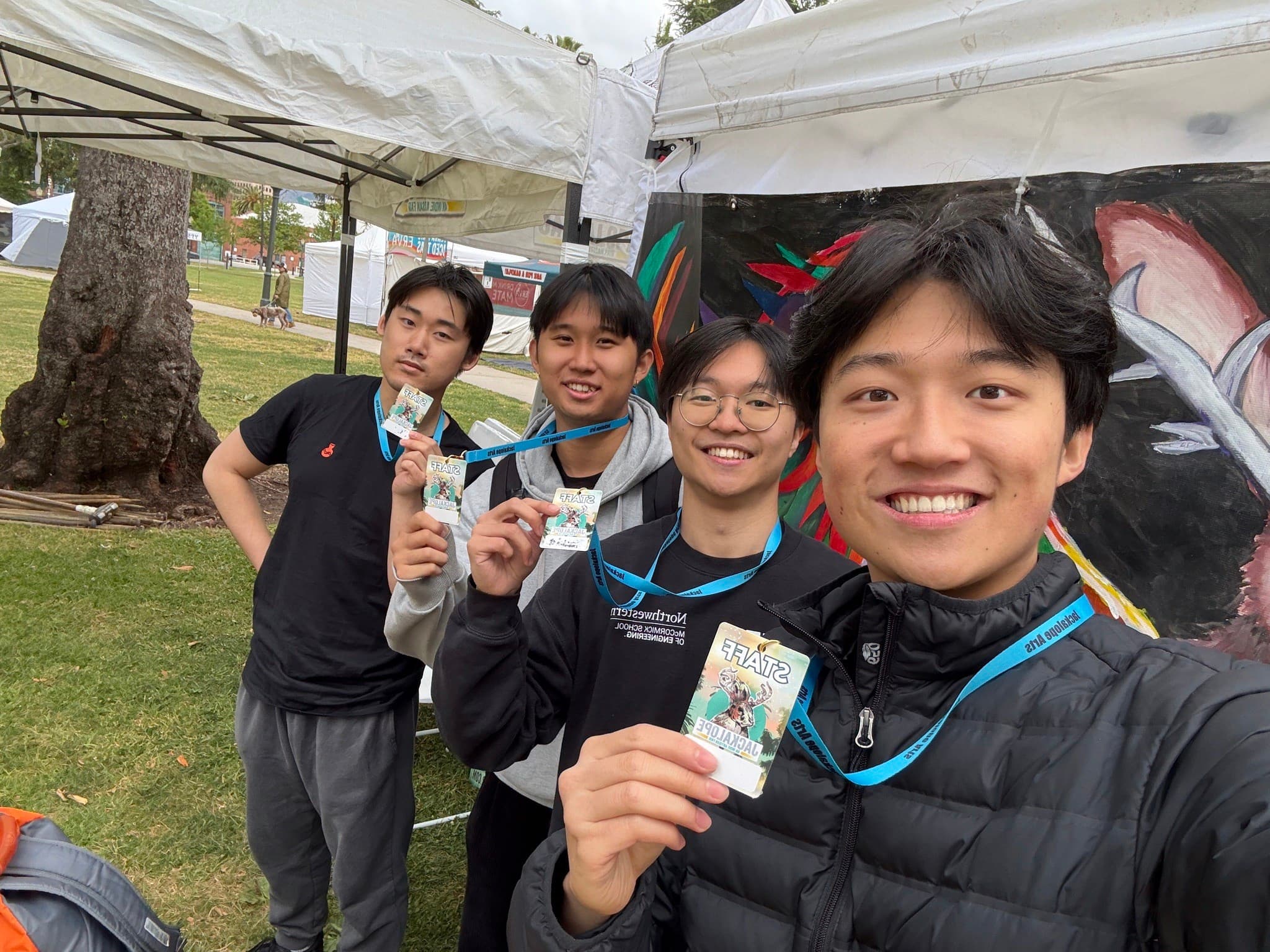
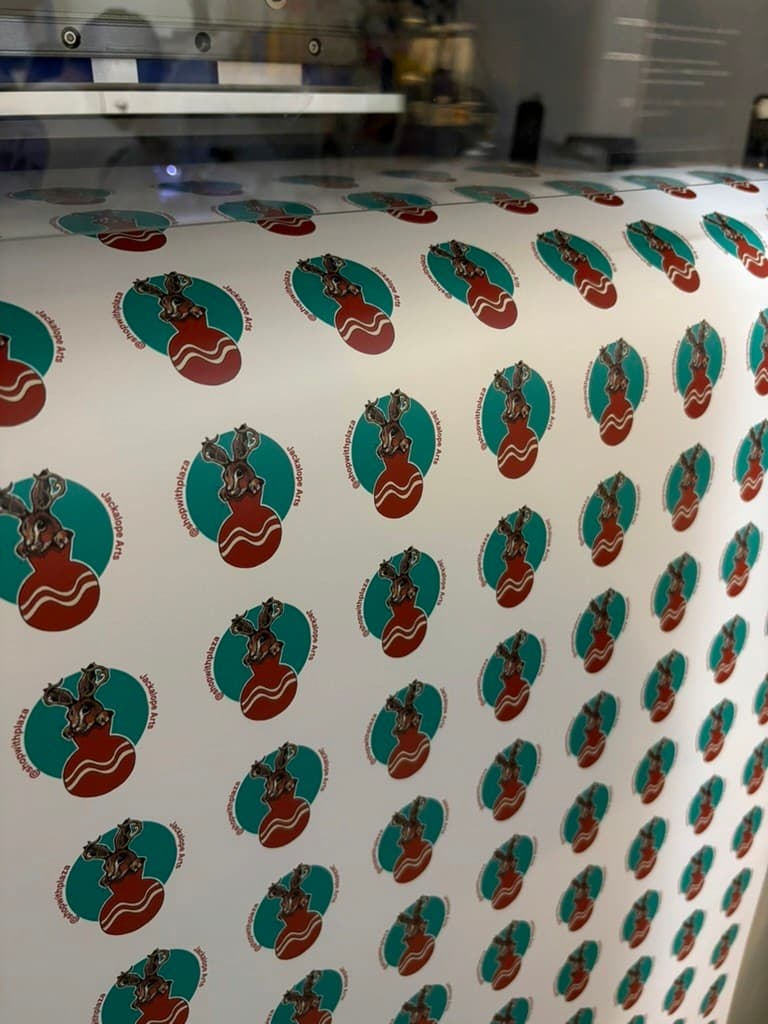
After several intense weeks of development, we successfully launched the mobile app on the Apple Store. We also had the opportunity to travel to Los Angeles and pitch our product directly to the arts and crafts community at the festival.
Impact & metrics
Front-end development time was reduced by approximately 75%.
After creating the design system, I conducted brief interviews with the developers to assess its impact. Both reported that it was beneficial and greatly improved their efficiency.
“The design system has been actually really helpful. Now I don’t have to slave away at doing front-end anymore!”
J. P., developer
“I always hate doing front end, but [the design system] makes it a lot more manageable and digestible.”
J. L., developer
Key metrics post launch.
Some of the most notable metrics were the total number of downloads we reached after the first month of launch, the number of product and video uploads, and the overall activation rate from onboarding:
- Product listings
- 130+
- Uploaded videos
- 30+
- Natural downloads
- 250+
- Activation rate
- 48%
Major takeaways & learnings
The biggest learning experience yet!
Flexibility and Adaptability
Throughout this experience, I’ve had to stay flexible in my role as a product designer. I initially expected to focus on the mobile application, but I often ended up leading the design of marketing materials, promotional assets, and posters as well. This showed me that in a startup, roles shift quickly, and it’s important to adapt to new responsibilities while still delivering strong work. It also reinforced how valuable versatility and a willingness to step in can be.
Cross-collaboration is a Pillar to Success
Throughout this journey, I collaborated with people from many different backgrounds. For branding, I worked with marketers; for the user flow, I worked with our CEO; and for the design system, I partnered with developers. Through each of these collaborations, I learned what it truly takes to work in a cross-functional team and bring together a wide range of perspectives.
Failure Can Only Lead to Growth
Because of the nature of a startup, the work can be incredibly time-consuming and demanding. During the festival, there were several moments when our mobile app would break or stop working, forcing our team to scramble for time to fix it. We also faced repeated rejections from the Apple App Store, which only added to the frustration. There were countless days when all of us felt ready to give up. Yet despite the setbacks and failures, we kept pushing forward and stayed committed to building this app. Every mistake and every failure ultimately guided us to where we needed to be.